Evaluation anatomy
Every useful evaluation has five parts:| Part | Meaning | Question it answers |
|---|---|---|
| Data | Dataset rows, production spans, generated cases, or Improve examples. | Which customer situations are being tested? |
| Task or prompt | Prompt version, model settings, variables, tools, and response schema. | What behavior would the user experience? |
| Evaluator | Criterion used to score the response. | What does the team mean by good enough? |
| Result | Score, pass/fail, reason, cost, latency, or custom output. | Did it pass for the right reason? |
| Action | Approve, reject, edit, add coverage, Improve, deploy, or roll back. | What changes because of this result? |
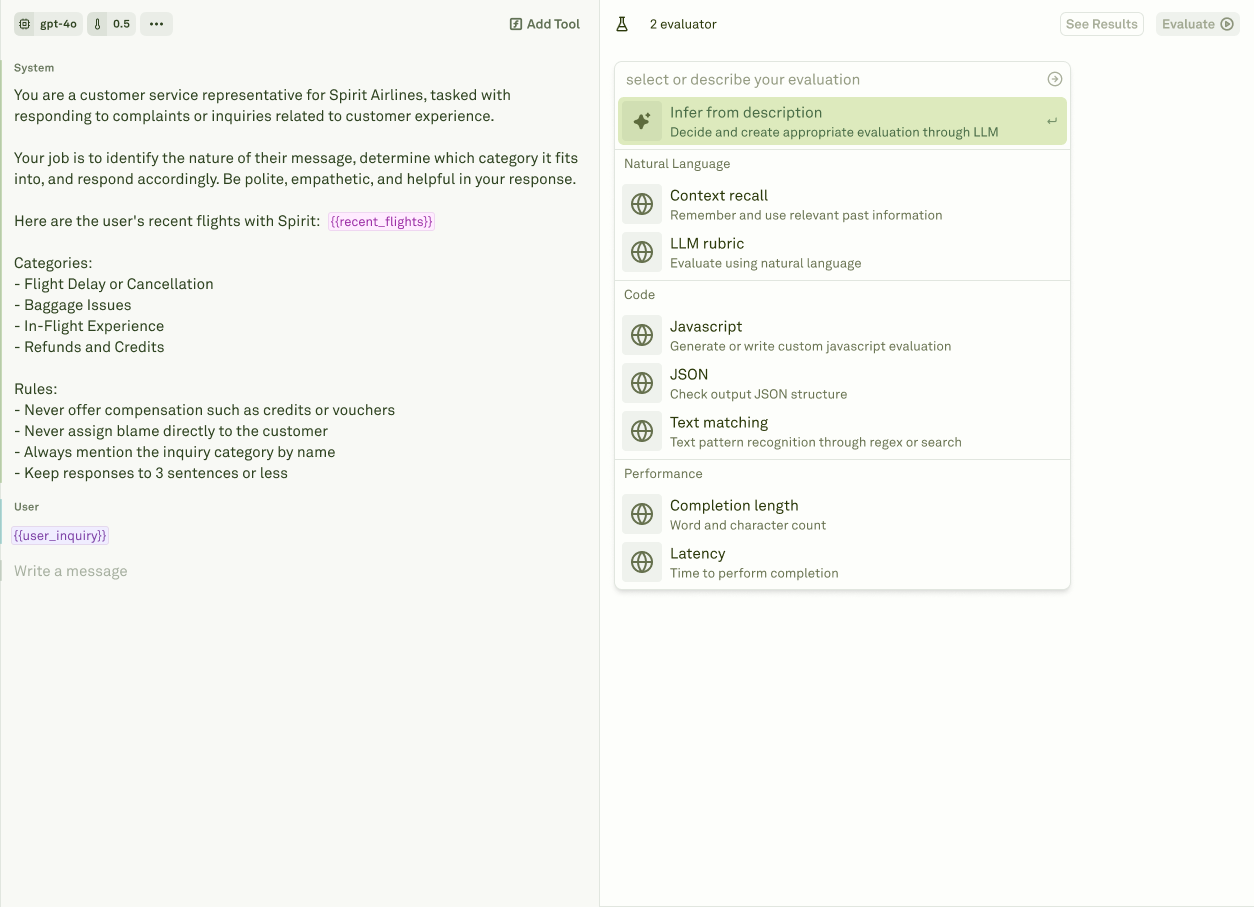
Evaluator types
| Evaluator | Use it for |
|---|---|
| LLM-as-a-Judge | Rubric-based quality, safety, policy, tone, and reasoning checks. |
| Custom Prompt | LLM-based evaluation with custom model configuration and prompt logic. |
| JavaScript | Deterministic checks, schema validation, custom scoring, and business rules. |
| JSON | Structured JSON checks and schema-like assertions. |
| API Call | External service checks through your own evaluator endpoint. |
| Text Matcher | Required or forbidden strings, regexes, and formatting markers. |
| Cost | Budget thresholds based on provider cost. |
| Latency | SLA thresholds based on runtime. |
| Response Length | Word, token, character, or brevity requirements. |
Where evaluators run

| Workflow | What evaluators do |
|---|---|
| Prompt evaluations | Run against datasets before release or during prompt development. |
| Monitor and Logs | Score sampled production traffic for continuous quality signals. |
| Improve | Reject candidates that improve one behavior while regressing another. |
Online and offline evaluation
| Mode | Use it for | Source |
|---|---|---|
| Offline evaluation | Pre-release checks, prompt comparison, regression testing, Improve candidate review, and CI/CD gates. | Curated datasets, golden examples, and production failures promoted into datasets. |
| Online evaluation | Continuous monitoring, silent failure detection, release watch, and drift investigation. | Production logs and spans with useful metadata. |
Create useful evaluators
Start from a failure mode
Use a Behavior, failing log, customer report, or product requirement to define what should pass or fail.
Choose the evaluator type
Use deterministic evaluators for exact rules and LLM-as-a-Judge for qualitative criteria.
Attach it to the prompt
Link the evaluator where it should run so evaluations and Improve cycles can use it.
Coverage checklist
For important prompts, cover the risks customers would notice:| Risk | Coverage example |
|---|---|
| Correctness | LLM-as-a-Judge rubric, JavaScript business rule, or API evaluator. |
| Safety and policy | LLM-as-a-Judge rubric with explicit passing and failing examples. |
| Structure | JSON, JavaScript, or Text Matcher evaluator. |
| Tool behavior | Dataset rows requiring tool use plus output checks. |
| Latency | Latency evaluator for response-time budgets. |
| Cost and verbosity | Cost and Response Length evaluators. |
| Known regressions | Dataset rows created from production logs or Behaviors. |
Evaluator types
Choose the right evaluator for quality, schema, cost, latency, and custom rules.
Online and offline evaluation
Connect curated datasets, production scoring, release gates, and Improve.
Create useful evaluators
Turn product requirements and production failures into repeatable checks.
Evaluate prompts
Run prompt evaluations against datasets and review results.
Datasets
Store the cases evaluators should score.