

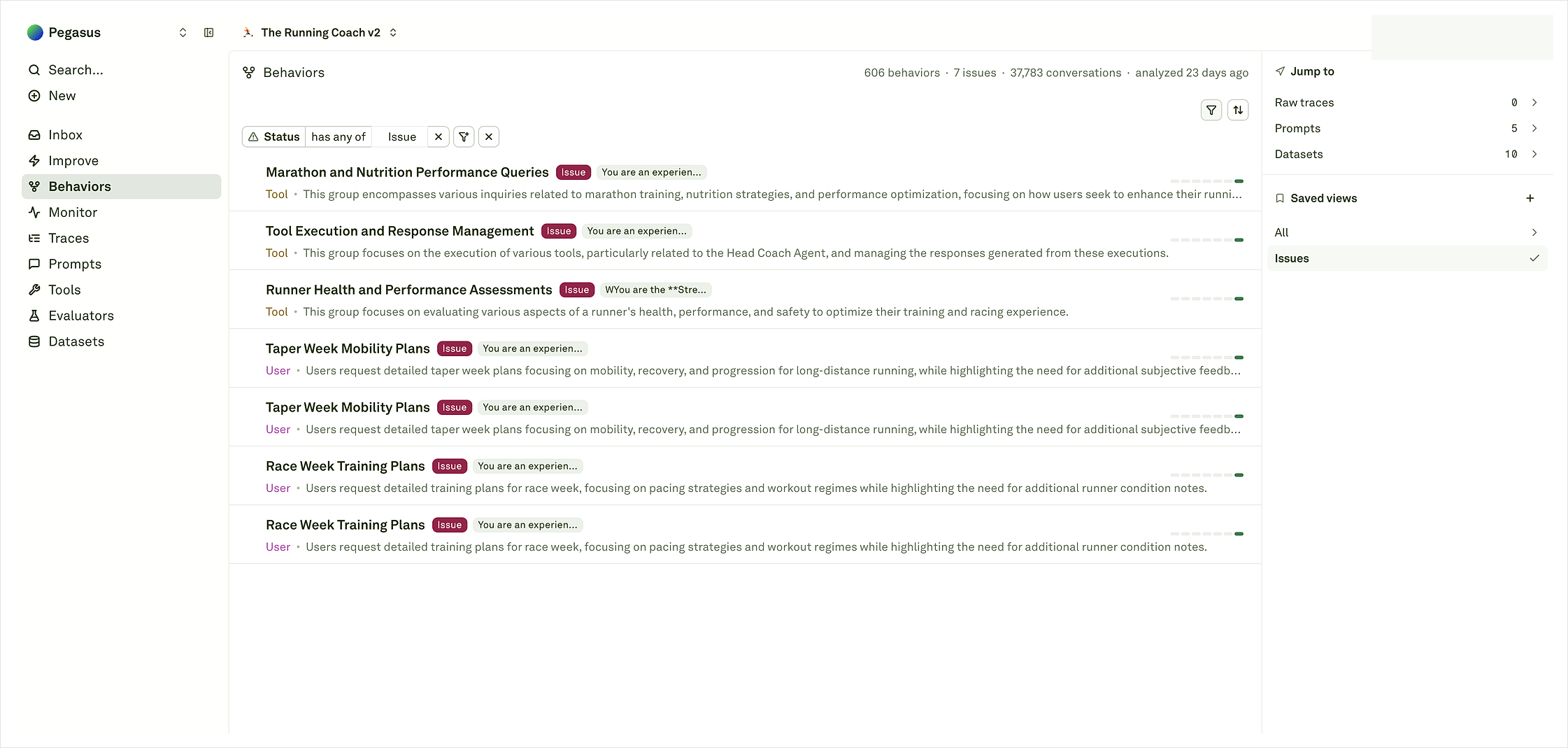
How logs become Behaviors
Adaline looks for repeated patterns across the traces, spans, content, outcomes, and metadata in your project. A few logs are enough to check that instrumentation works, but Behavior maps become useful after Adaline has enough examples to compare. As a rule of thumb, expect Behaviors to appear after roughly 100 logs and about 15-20 minutes of analysis time. More traffic usually gives Adaline a clearer view of repeated patterns, issue tags, and representative evidence. When analysis is ready, the Behaviors catalog should start showing row labels, short summaries, roles, issue tags when Adaline detects a likely problem, conversation or member counts, and links back to related objects. If those rows feel too generic, the fix is usually better logging: clearer trace names, named spans, outcomes, and safe metadata that separates workflows. If Behaviors do not appear, first check that Monitor shows recent traces in the same project. Then confirm the logs have readable trace and span names, useful input/output content or safe summaries, status, and enough metadata to tell workflows apart.Choose an integration path
Start with the path that matches your existing stack. You can begin with broad logging and add more detailed spans later as your team learns which evidence is most useful.What helps Adaline understand patterns
Useful Behavior evidence is usually the same evidence that makes Monitor and Logs readable:- Trace names that describe the workflow or request.
- Span names for model calls, tool calls, retrieval, backend steps, or custom workflow steps.
- Input and output content, or safe summaries when full content should not be stored.
- Status or outcome, such as success, failed, partial, escalated, or user-reported issue.
- Model, provider, latency, token, and cost details where available.
- Tool and retrieval arguments, result status, timing, and safe result summaries.
- Metadata for environment, release, route, prompt, agent, experiment, or customer-safe segment.