

Create a webhook
You can create webhooks from two places: Navigate to Workspace Settings and find the Webhooks section under your project.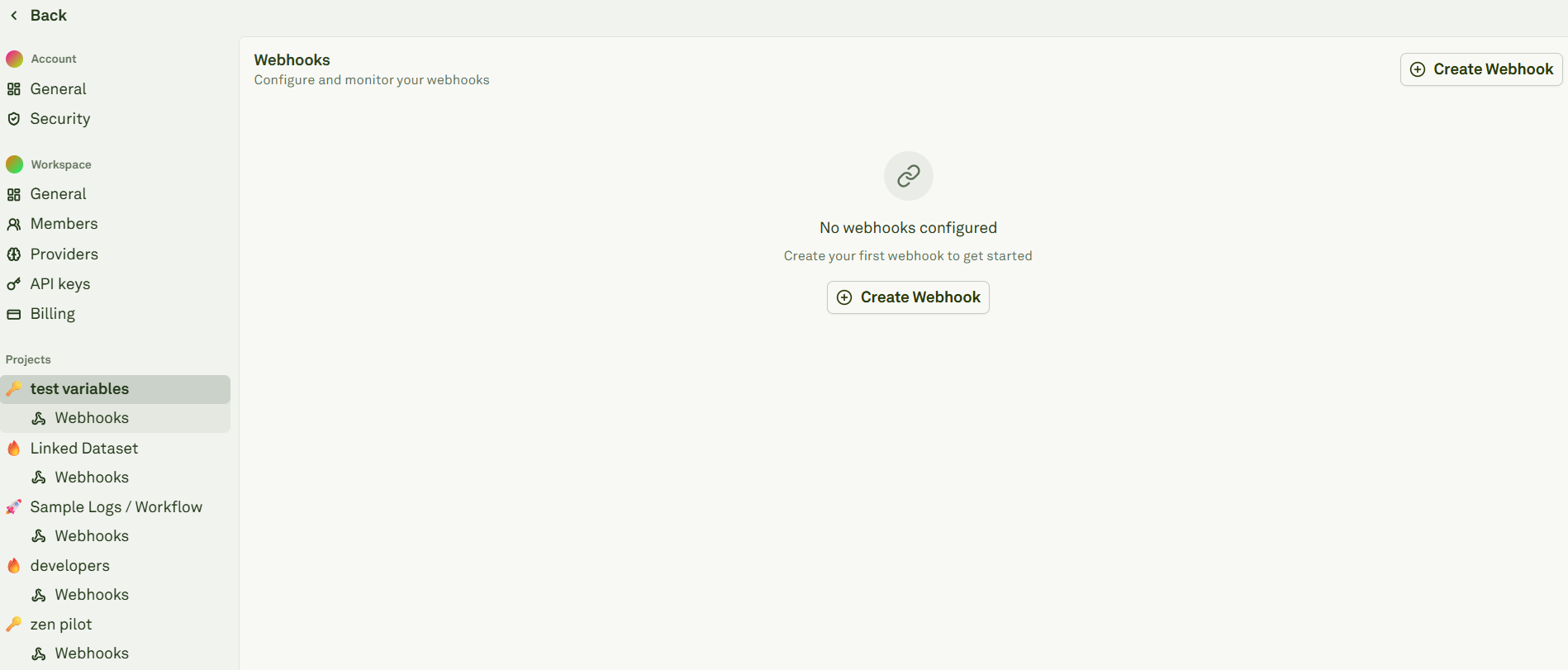
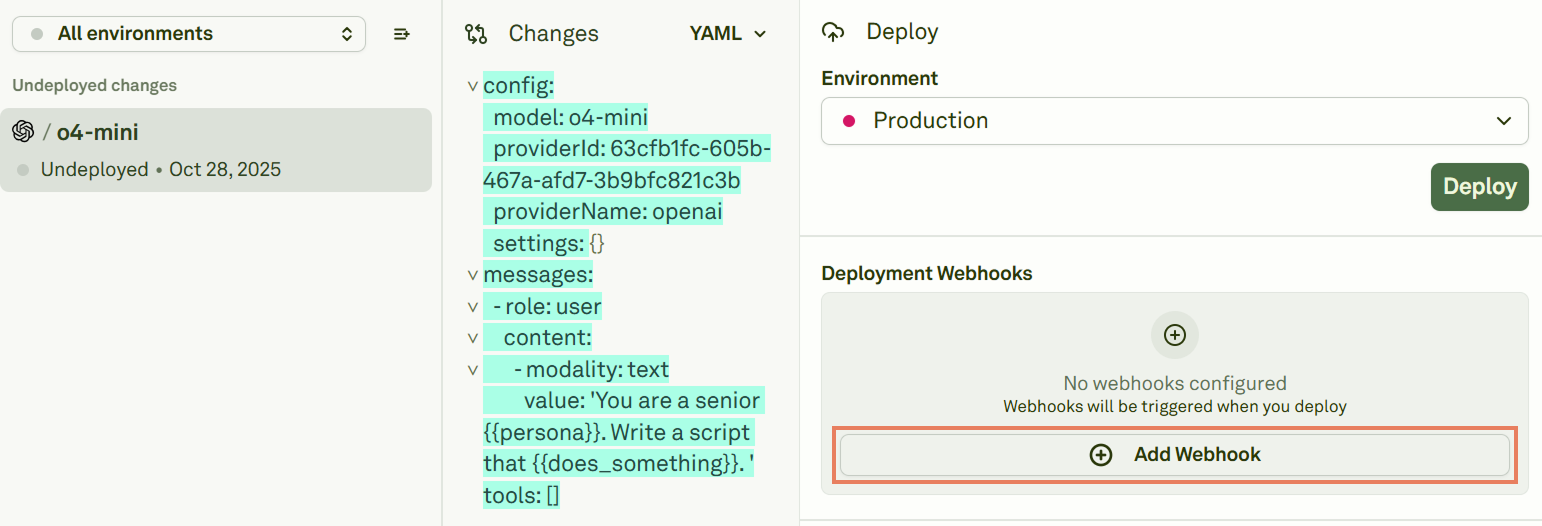
Configure a webhook
When creating a new webhook, fill in the following fields: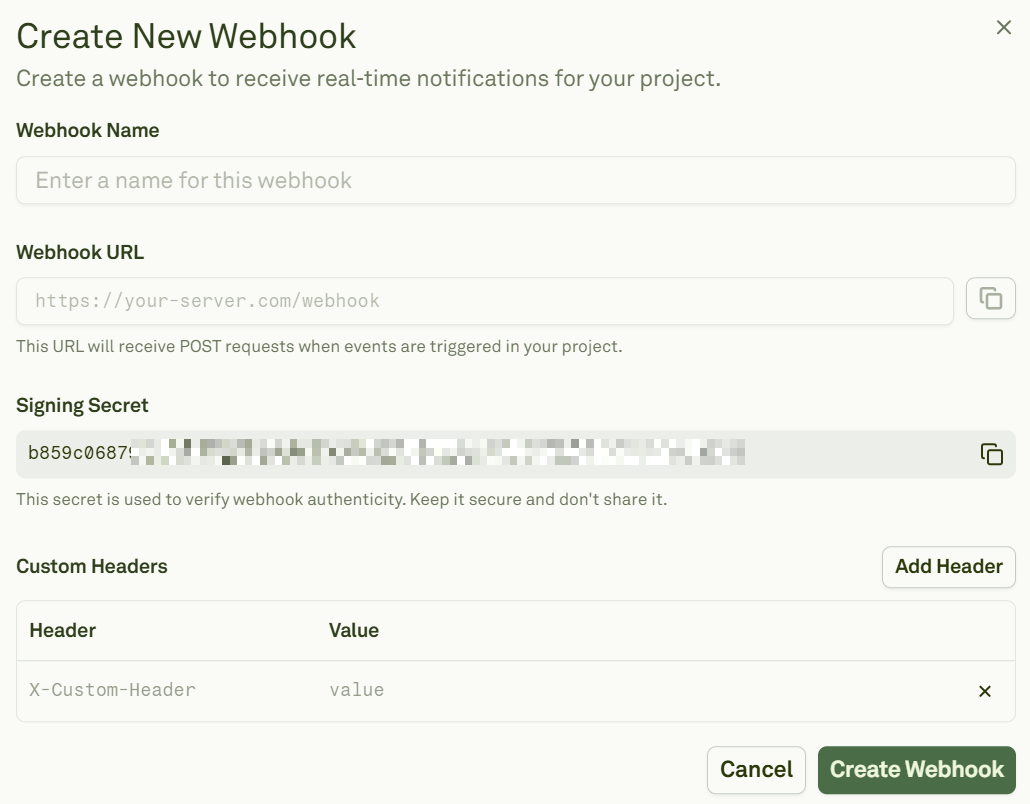
Webhooks automatically subscribe to the
create-deployment event.
Event format
Currently, Adaline emits a single project event:create-deployment. This event fires whenever a new deployment snapshot is created for a prompt and environment.
Request details
Verify signatures
When a payload is present, Adaline attaches anX-Webhook-Signature header. The value contains a timestamp and one or more signatures (to support secret rotation):
rawBody— The exact request body string.signatureHeader— TheX-Webhook-Signatureheader value.secret— Your signing secret from the webhook configuration.
Test webhooks
From the webhook details page, click Send Test Event to confirm connectivity and signature validation: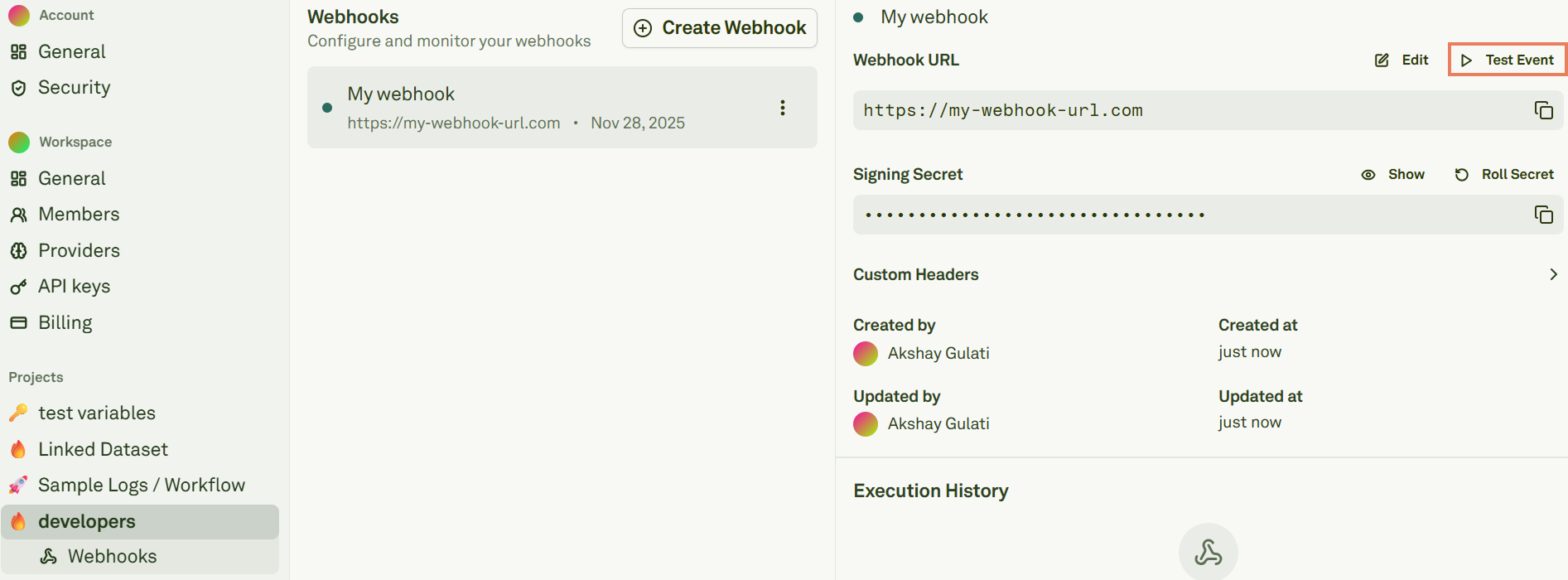
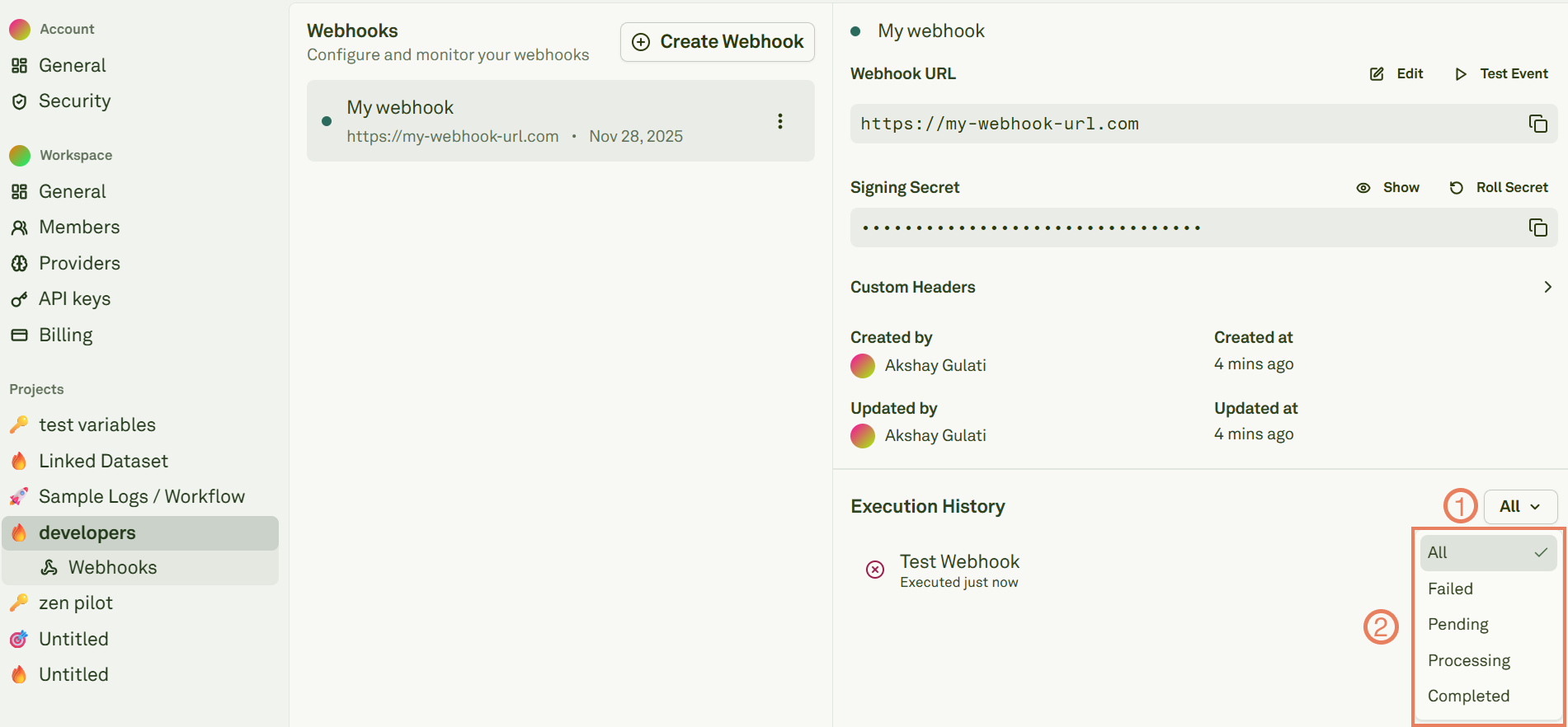
200 OK after verifying the signature.
Roll secrets
Roll the signing secret from the webhook details page: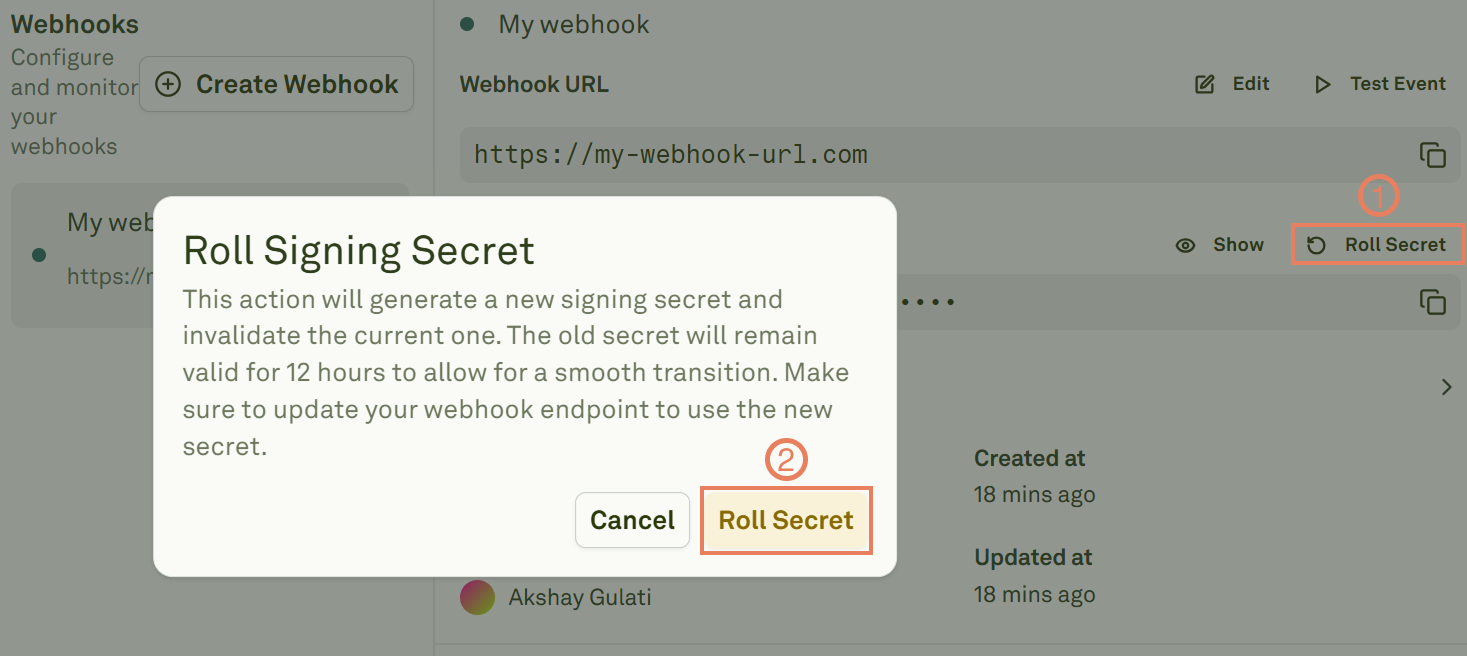
- Adaline creates a new primary secret immediately.
- The previous secret is retained as a rolled secret and remains valid for 12 hours.
- During this window,
X-Webhook-Signaturemay include multiple signatures so your server can accept either secret.
Troubleshooting
Next steps
Deploy Your Prompt
Ship prompts and see webhooks in action.
Configure Environments
Set up environments for your deployment pipeline.