

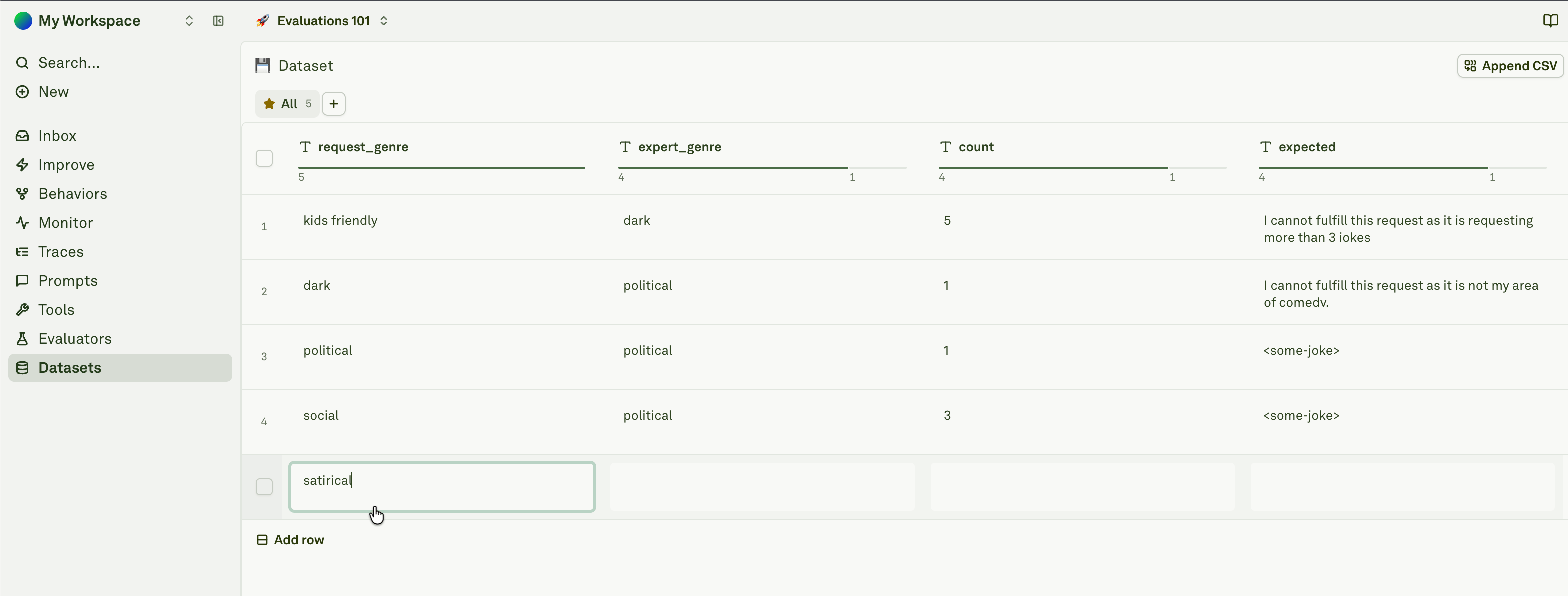
What Belongs In A Dataset
Keep rows specific. A dataset row should make it clear what input is being tested and what good output looks like.
How Datasets Work
Dataset columns usually map to prompt variables. If a prompt expects{{request_genre}}, the dataset should have a request_genre column. Extra columns can hold expected output, labels, notes, IDs, or evaluator context.
Columns can be:
Datasets can also contain text, images, and PDFs. Use multimodal cells when your prompt consumes files or visual context.
Common Workflows
1
Create or import rows
Add rows manually, upload a CSV, or copy a useful production span from Monitor.
2
Match columns to prompt variables
Make sure required prompt variables have matching dataset columns.
3
Add expected output or labels
Store what the evaluator should check, what the reviewer should notice, or why the case matters.
4
Run evaluations
Use the dataset with one or more evaluators to score prompt output.
5
Keep useful failures
Promote important production failures or Improve evidence into long-lived regression coverage.
Where Datasets Fit
Datasets connect the rest of the Platform:- Prompts use dataset rows as repeatable inputs.
- Evaluators score prompt responses against dataset cases.
- Monitor turns real production spans into dataset rows.
- Behaviors reveal repeated patterns worth preserving as coverage.
- Improve uses linked and generated datasets to compare prompt candidates before review.
Next Steps
Set up a dataset
Create a dataset, add rows, and map columns to prompt variables.
Import CSV into dataset
Bulk-import text, image, or PDF test cases.
Use multimodal cells
Add text, image, and PDF values to dataset rows.
Use dynamic columns
Fetch row values from APIs or other prompts.
Build datasets from logs
Preserve useful production spans as test cases.
Evaluate prompts
Run prompts against datasets and evaluators.