

Enable MCP
1
Select a compatible model
Open the model selector and choose an LLM that supports MCP integration.
2
Open MCP settings
In the model settings panel, select MCP.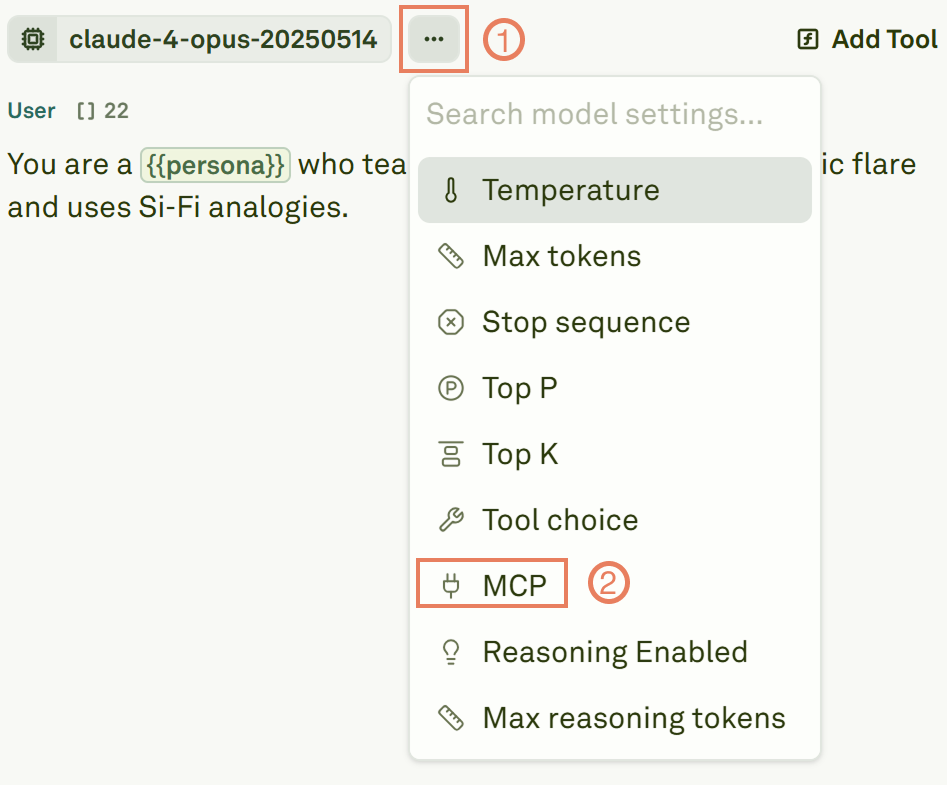
3
Toggle MCP on
Set the MCP toggle to On to enable the integration.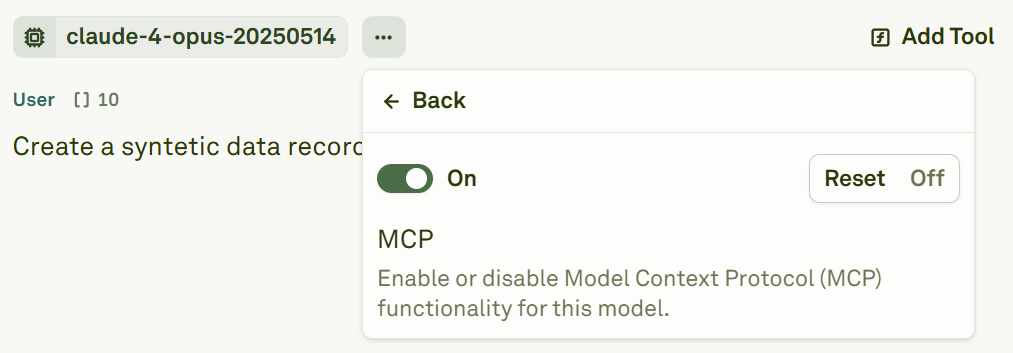
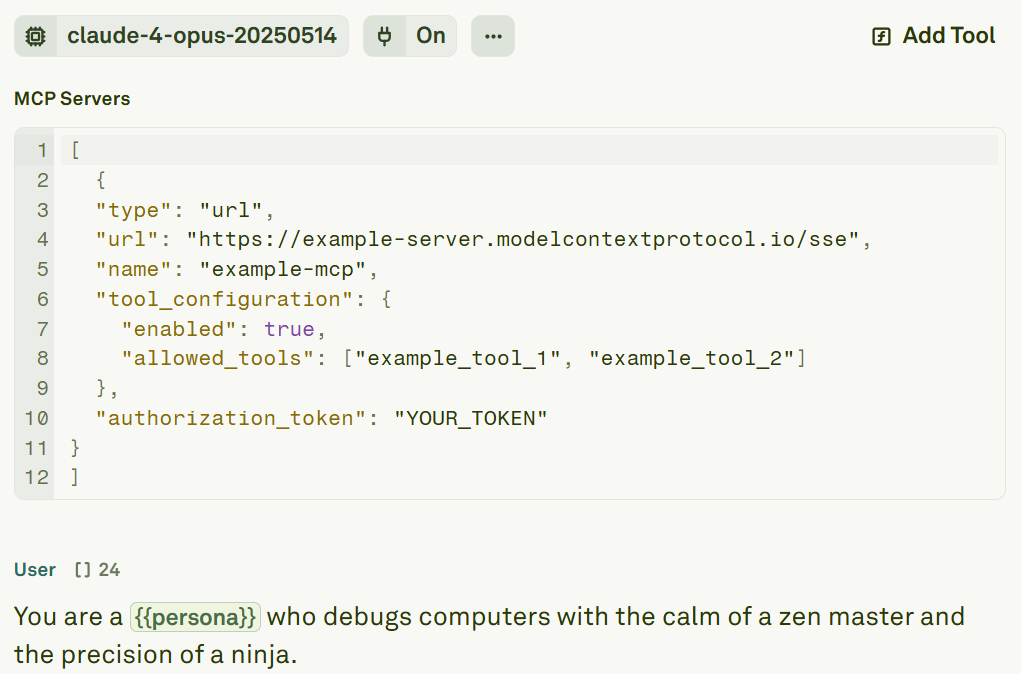
Configure an MCP server
Each MCP server requires a JSON configuration object. Here is the complete schema:Configuration reference
Connect to multiple servers
You can connect to multiple MCP servers simultaneously by providing an array of server configurations:Authentication
Many MCP servers require OAuth authentication. To obtain an access token:- Use the MCP Inspector or your server provider’s OAuth flow to generate a token.
- Paste the token into the
authorization_tokenfield in your server configuration.
Keep your authorization tokens secure. If your MCP server’s tokens have an expiry, you will need to refresh them periodically.